

BISU is an all-in-one platform empowering creators on Instagram, TikTok, and YouTube to connect, monetize, and grow their audiences. This case study analyzes and enhances BISU’s key features—Link in Bio, Shorten Link, Create Ultimate Bio Links, QR Codes....
To understand BISU’s target audience, two primary user personas were developed based on interviews with 20 creators, and social media usage data.

Name:
Mia Fang
Age:
28
Ocupation:
Full-time content creator (fashion and lifestyle)
Goals:
Increase follower engagement,
promote affiliate links.
monetize content.
Pain points:
Limited customization in bio links,
Lack of detailed analytics
Complex setup processes.
Needs:
Uses Link in Bio and QR Codes to drive traffic to her blog and events.
Relies on Donate Directly for fundraising and Fan support

Name:
Nicky Dang
Age:
32
Ocupation:
Freelance campaign strategist
Goals:
Optimize marketing campaigns
track link performance, and streamline workflows.
Pain points
Limited geo-targeting and basic analytics,
Time-consuming link management.
Complex setup processes.
Needs:
Uses Shorten Link and Create Ultimate Bio Links for campaign tracking..
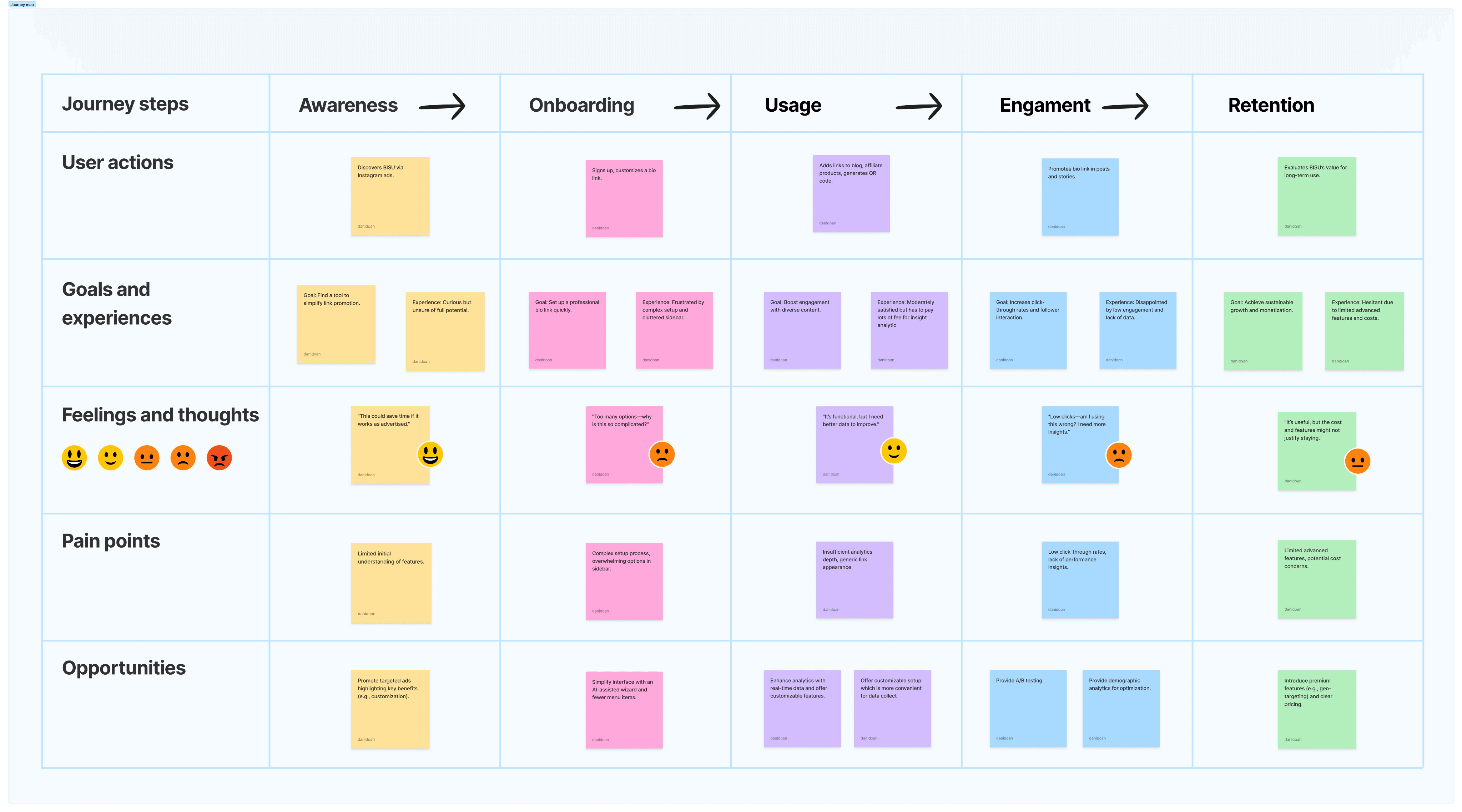
Based on research, the following goals were established:
Boost Bio Link Flexibility: Allow up to 10 interlinked bio links per account for better accessibility and engagement.
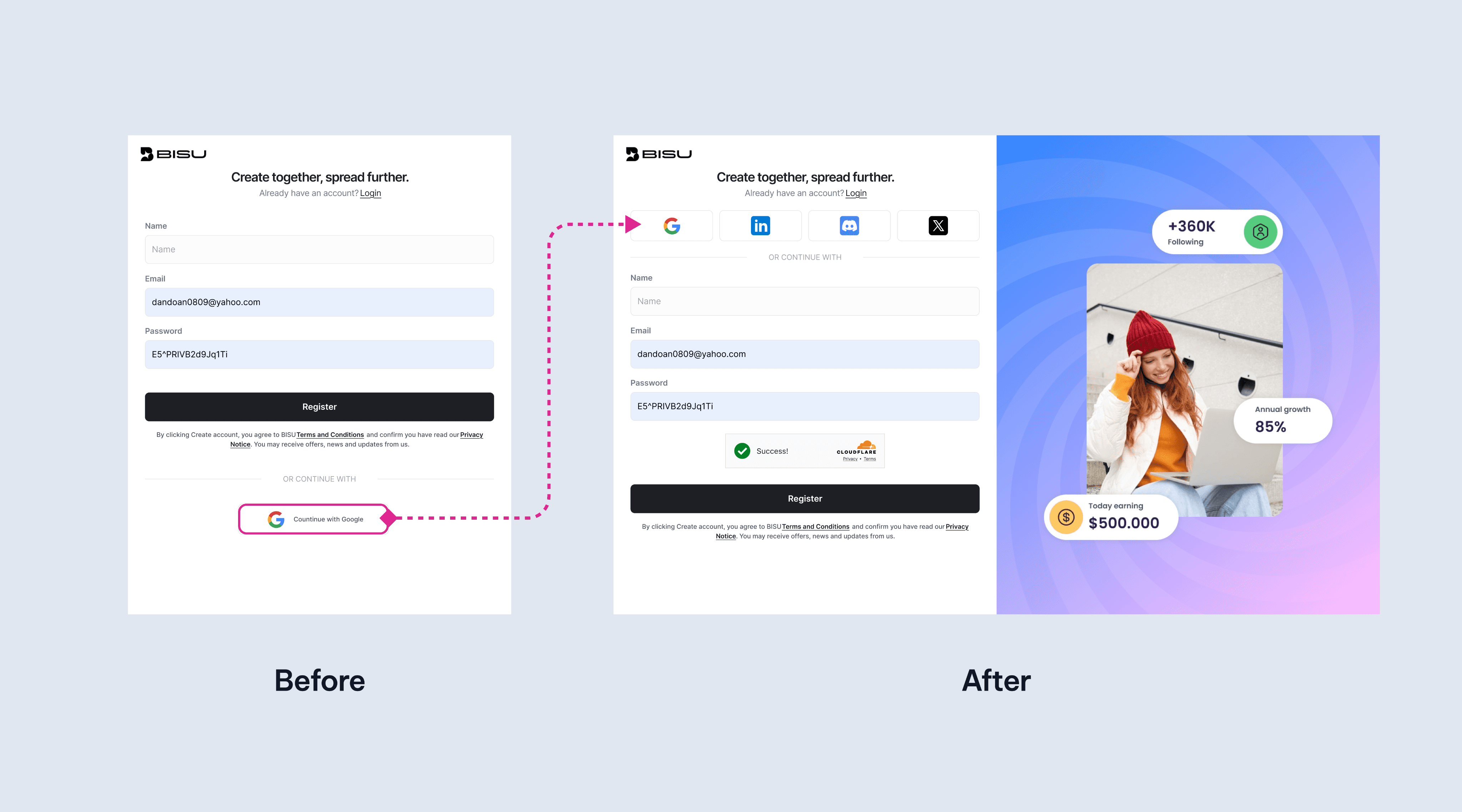
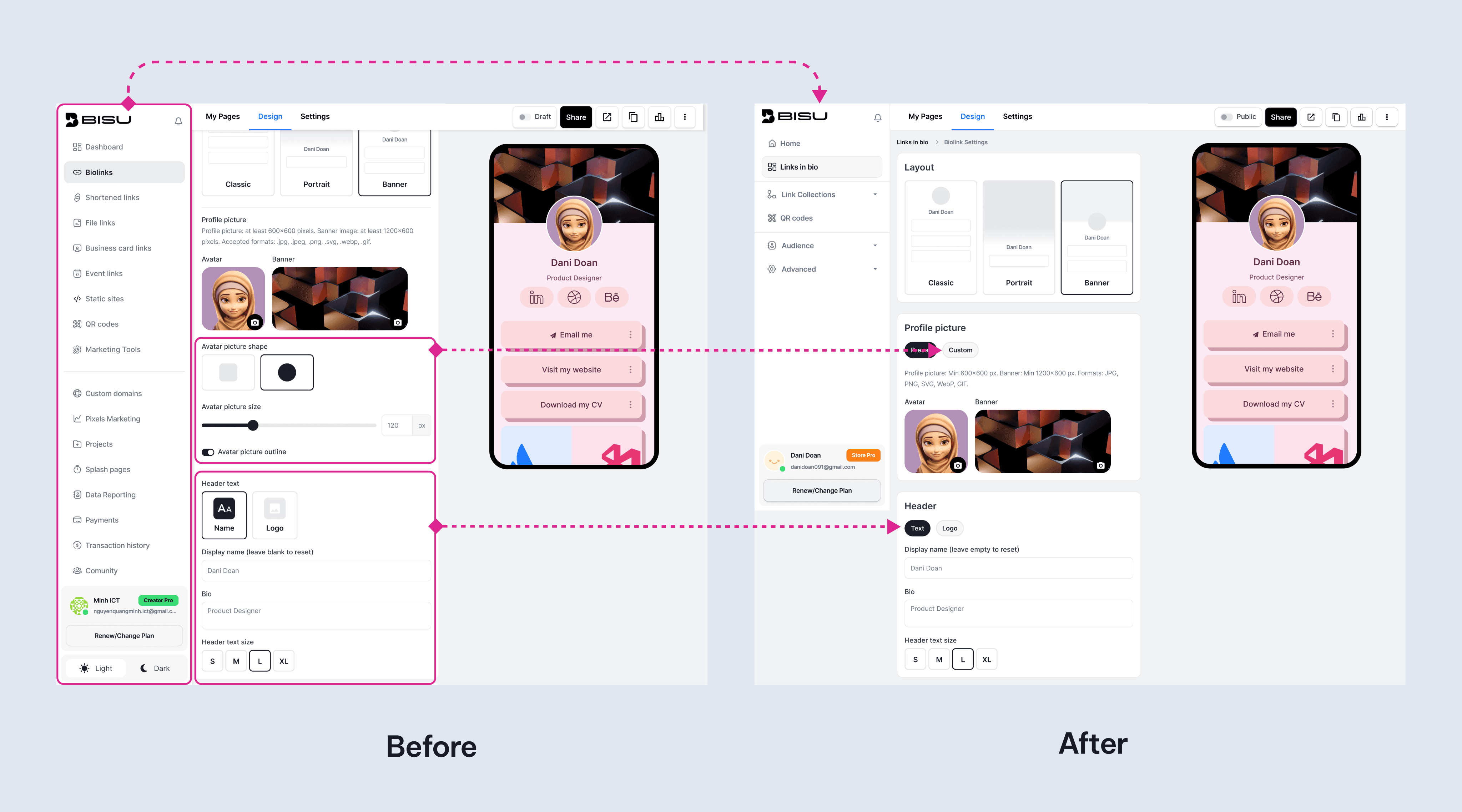
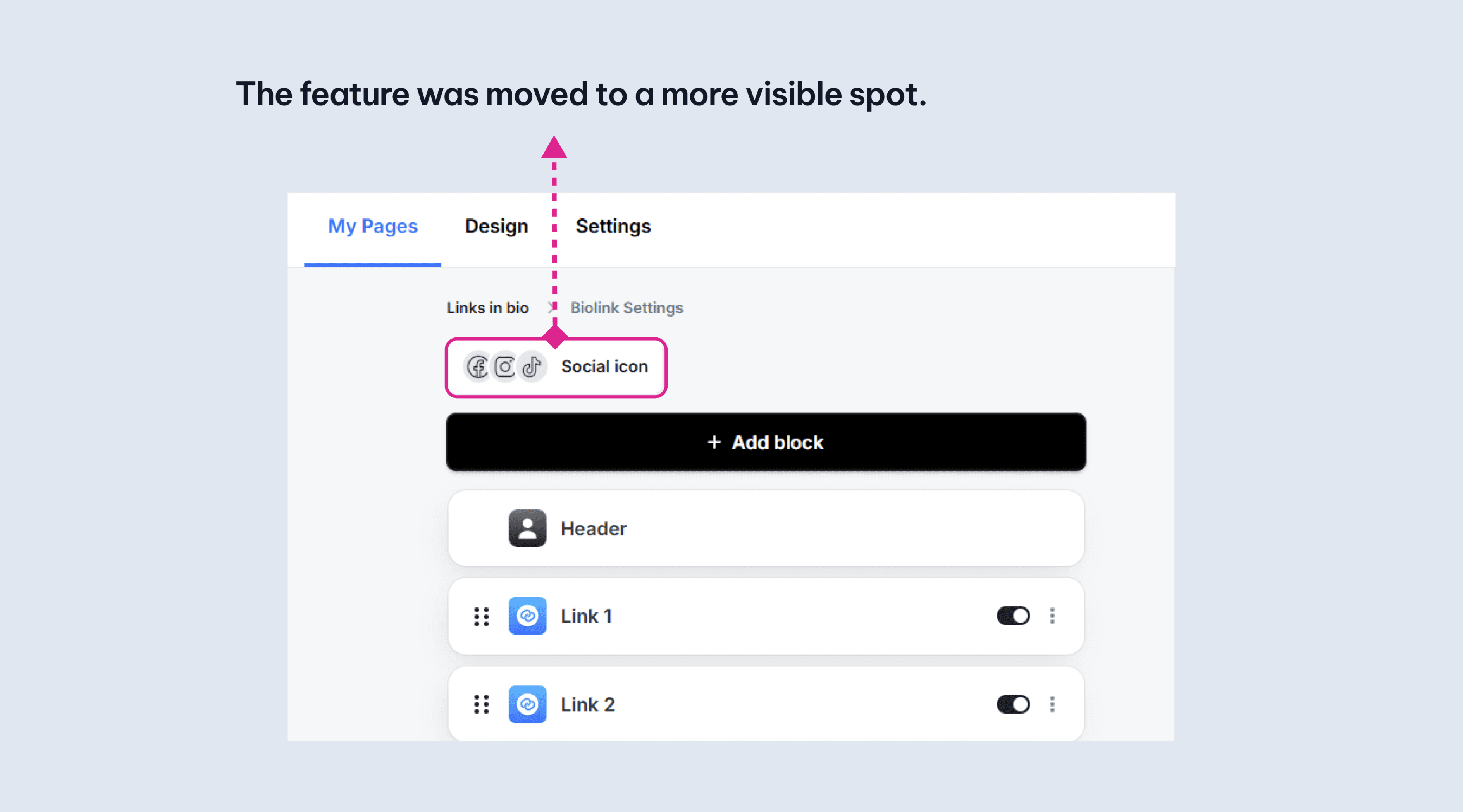
Simplify Setup: Streamline Ultimate Bio Links onboarding by reducing menu options and confusion.
Expand Monetization & Sharing: Enable PayPal donations and easy file-sharing for creators.
Integrate QR Codes: Connect QR codes with event and calendar tools to drive attendance.
Enhance Analytics: Strengthen insights for Shorten Link and Link in Bio to improve campaigns and conversions.
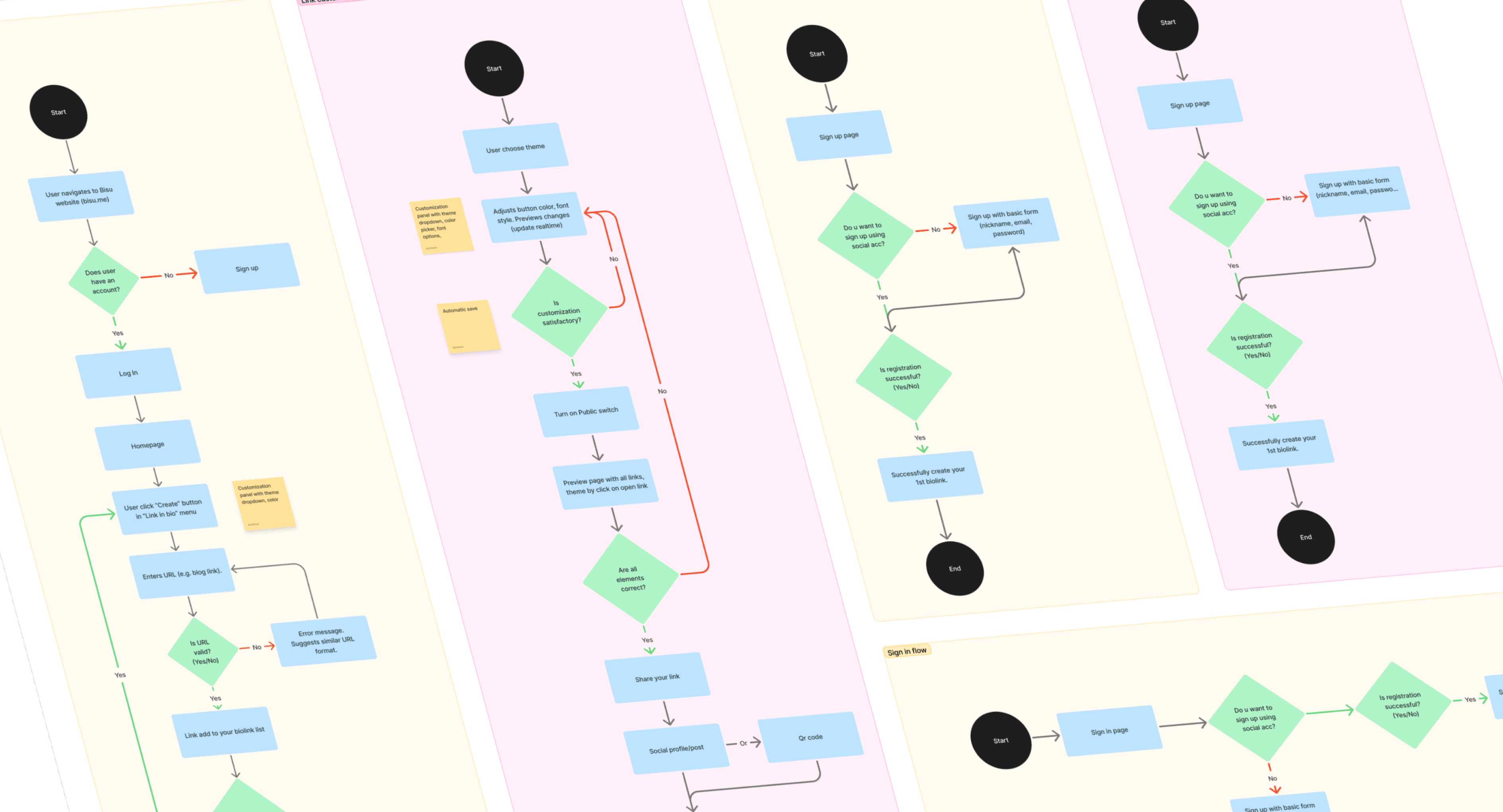
Use cases help Product designers covering all cases while design (from happy cases to conner cases)
Meanwhile, user flows were designed for each feature to streamline interactions.
Example for Donate Directly:
Step 1: User selects “Add Donation Button” from dashboard.
Step 2: Configures payment platform (e.g., Stripe, PayPal) and custom prompt.
Step 3: Button appears on bio page, tracks donations in analytics.
Improvement: Reduced steps from 6 to 3, added one-tap payment setup.
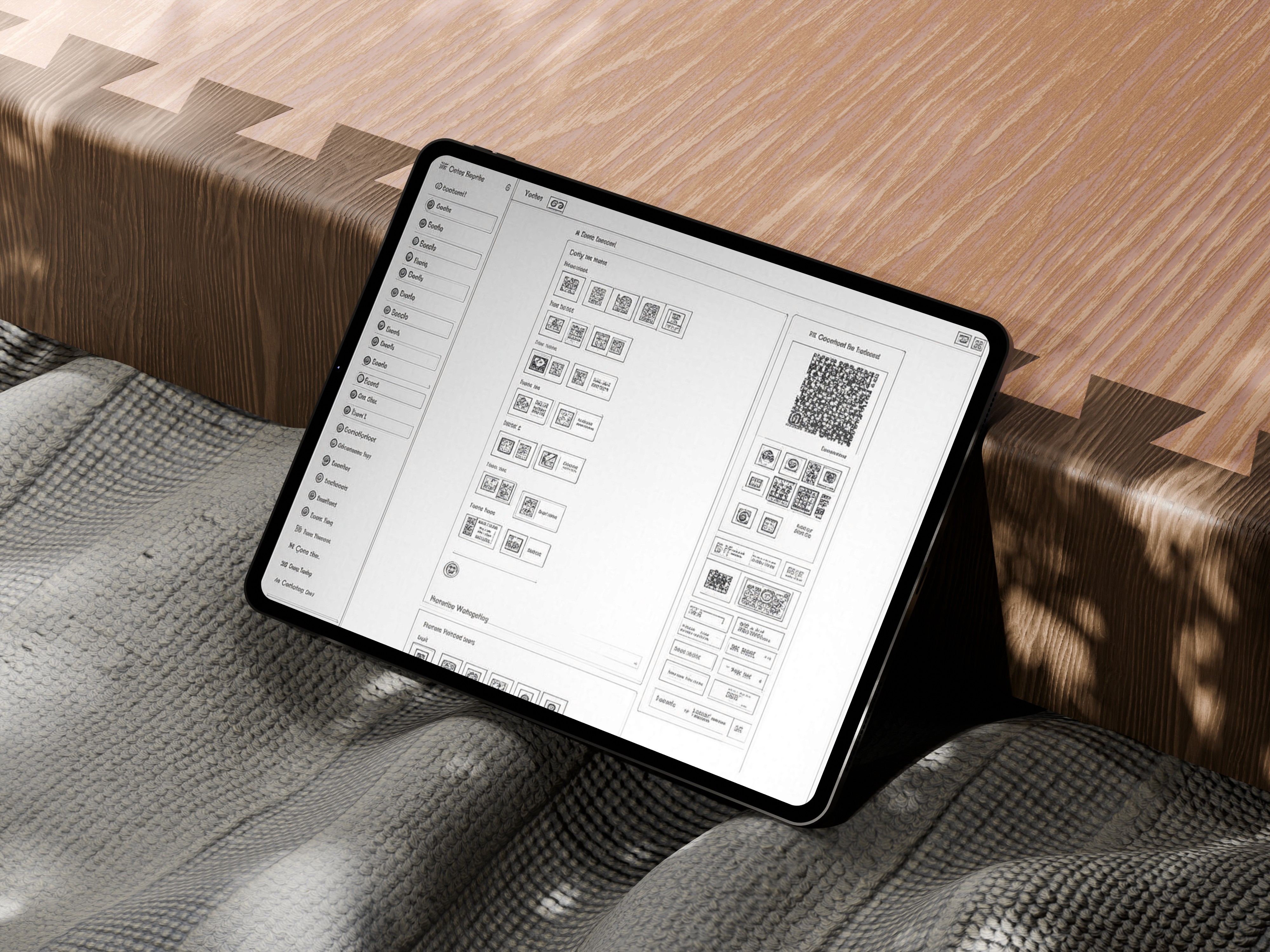
Low-fidelity wireframes were created using Figma and Balsamiq for key interfaces:
QR Codes: Customizable QR code generator with event link and calendar integration options.
Link in Bio Dashboard: Easy add new links and follow the analytic data on homepage
Shorten Link: Input field for URLs, geo-targeting toggles, and campaign tracking charts.
Upload File: Easy upload and sell your digital product with customize password protection toggle, and download link generator.
Donate Directly: Prominent button on bio page, payment integration wizard.
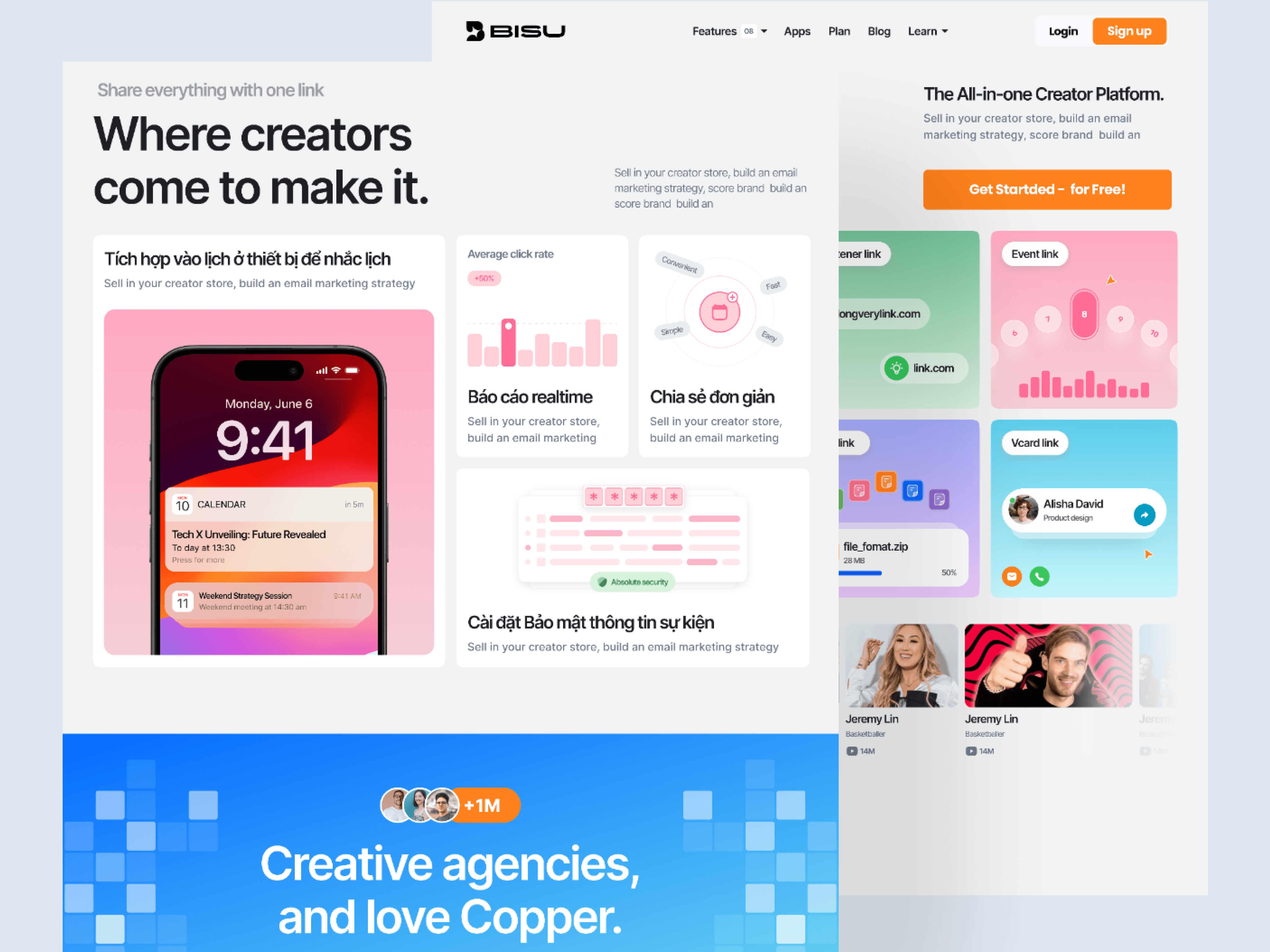
High-fidelity UI designs were developed with:
Consistent Branding: Clean, modern aesthetic with customizable colors and fonts.
Intuitive Navigation: Sidebar for feature access, minimizing clicks.
Mobile Optimization: Responsive design for mobile and small screens
Visual Feedback: Progress bars for uploads, real-time analytics charts...
Number of participants: 5 users
Method: remote testing via video call.
Task given: Sign up and create your first Bio link.
Success metrics:
Evaluate task success rate and time on task.
Back Button Usage.
Search & Navigation Efficiency.
System Usability Scale (SUS)




This case study shows how a user-centered design journey optimized BISU’s core features:
Research & Analysis revealed creator pain points;
Define crystallized objectives and problem statements;
Design Exploration produced intuitive prototypes; and
Testing & Evaluation validated refinements with real users.
In the next release, we’ll launch an in-app guided tour that smoothly orients new users to BISU’s interface, highlights key functionalities, and accelerates feature discovery